Tuesday, March 3, 2020

Computer - Applications

In this chapter, we will discuss the application of computers in various fields.

Business

Computer Fundamentals
A computer has high speed of calculation, diligence, accuracy, reliability, or versatility which has made it an integrated part in all business organizations.
Computer is used in business organizations for −
  • Payroll calculations
  • Budgeting
  • Sales analysis
  • Financial forecasting
  • Managing employee database
  • Maintenance of stocks, etc.

Banking

Computer Banking
Today, banking is almost totally dependent on computers.
Banks provide the following facilities −
  • Online accounting facility, which includes checking current balance, making deposits and overdrafts, checking interest charges, shares, and trustee records.
  • ATM machines which are completely automated are making it even easier for customers to deal with banks.

Insurance

Computer Insurance
Insurance companies are keeping all records up-to-date with the help of computers. Insurance companies, finance houses, and stock broking firms are widely using computers for their concerns.
Insurance companies are maintaining a database of all clients with information showing −
  • Procedure to continue with policies
  • Starting date of the policies
  • Next due installment of a policy
  • Maturity date
  • Interests due
  • Survival benefits
  • Bonus

Education

Computer Educational
The computer helps in providing a lot of facilities in the education system.
  • The computer provides a tool in the education system known as CBE (Computer Based Education).
  • CBE involves control, delivery, and evaluation of learning.
  • Computer education is rapidly increasing the graph of number of computer students.
  • There are a number of methods in which educational institutions can use a computer to educate the students.
  • It is used to prepare a database about performance of a student and analysis is carried out on this basis.

Marketing

In marketing, uses of the computer are following −

Computer Marketing
  • Advertising − With computers, advertising professionals create art and graphics, write and revise copy, and print and disseminate ads with the goal of selling more products.
  • Home Shopping − Home shopping has been made possible through the use of computerized catalogues that provide access to product information and permit direct entry of orders to be filled by the customers.

Healthcare

Computers have become an important part in hospitals, labs, and dispensaries. They are being used in hospitals to keep the record of patients and medicines. It is also used in scanning and diagnosing different diseases. ECG, EEG, ultrasounds and CT scans, etc. are also done by computerized machines.
Following are some major fields of health care in which computers are used.

Computer Healthcare
  • Diagnostic System − Computers are used to collect data and identify the cause of illness.
  • Lab-diagnostic System − All tests can be done and the reports are prepared by computer.
  • Patient Monitoring System − These are used to check the patient's signs for abnormality such as in Cardiac Arrest, ECG, etc.
  • Pharma Information System − Computer is used to check drug labels, expiry dates, harmful side effects, etc.
  • Surgery − Nowadays, computers are also used in performing surgery.

Engineering Design

Computers are widely used for Engineering purpose.
One of the major areas is CAD (Computer Aided Design) that provides creation and modification of images. Some of the fields are −

Computer Engineering
  • Structural Engineering − Requires stress and strain analysis for design of ships, buildings, budgets, airplanes, etc.
  • Industrial Engineering − Computers deal with design, implementation, and improvement of integrated systems of people, materials, and equipment.
  • Architectural Engineering − Computers help in planning towns, designing buildings, determining a range of buildings on a site using both 2D and 3D drawings.

Military
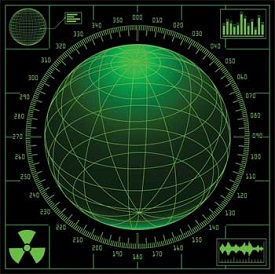
Computer Military
Computers are largely used in defence. Modern tanks, missiles, weapons, etc. Military also employs computerized control systems. Some military areas where a computer has been used are −
  • Missile Control
  • Military Communication
  • Military Operation and Planning
  • Smart Weapons

Communication

Communication is a way to convey a message, an idea, a picture, or speech that is received and understood clearly and correctly by the person for whom it is meant. Some main areas in this category are −

Computer Communication
  • E-mail
  • Chatting
  • Usenet
  • FTP
  • Telnet
  • Video-conferencing

Government

Computers play an important role in government services. Some major fields in this category are −
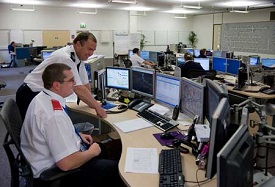
Computer Government
  • Budgets
  • Sales tax department
  • Income tax department
  • Computation of male/female ratio
  • Computerization of voters lists
  • Computerization of PAN card
  • Weather forecasting

SQL Tutorial

SQL tutorialSQL is a database computer language designed for the retrieval and management of data in a relational database. SQL stands for Structured Query Language. This tutorial will give you a quick start to SQL. It covers most of the topics required for a basic understanding of SQL and to get a feel of how it works.

Why to Learn SQL?

SQL is Structured Query Language, which is a computer language for storing, manipulating and retrieving data stored in a relational database.
SQL is the standard language for Relational Database System. All the Relational Database Management Systems (RDMS) like MySQL, MS Access, Oracle, Sybase, Informix, Postgres and SQL Server use SQL as their standard database language.
Also, they are using different dialects, such as −
  • MS SQL Server using T-SQL,
  • Oracle using PL/SQL,
  • MS Access version of SQL is called JET SQL (native format) etc.

Applications of SQL

As mentioned before, SQL is one of the most widely used query language over the databases. I'm going to list few of them here:
  • Allows users to access data in the relational database management systems.
  • Allows users to describe the data.
  • Allows users to define the data in a database and manipulate that data.
  • Allows to embed within other languages using SQL modules, libraries & pre-compilers.
  • Allows users to create and drop databases and tables.
  • Allows users to create view, stored procedure, functions in a database.
  • Allows users to set permissions on tables, procedures and views.

Audience

This SQL tutorial is prepared for beginners to help them understand the basic as well as the advanced concepts related to SQL languages. This tutorial will give you enough understanding on the various components of SQL along with suitable examples.

Prerequisites

Before you start practicing with various types of examples given in this tutorial, I am assuming that you are already aware about what a database is, especially the RDBMS and what is a computer programming language.

Computer Programming

Introduction to Computer Program

Before getting into computer programming, let us first understand computer programs and what they do.
A computer program is a sequence of instructions written using a Computer Programming Language to perform a specified task by the computer.
The two important terms that we have used in the above definition are −
  • Sequence of instructions
  • Computer Programming Language
To understand these terms, consider a situation when someone asks you about how to go to a nearby KFC. What exactly do you do to tell him the way to go to KFC?
You will use Human Language to tell the way to go to KFC, something as follows −
First go straight, after half kilometer, take left from the red light and then drive around one kilometer and you will find KFC at the right.
Here, you have used English Language to give several steps to be taken to reach KFC. If they are followed in the following sequence, then you will reach KFC −
1. Go straight
2. Drive half kilometer
3. Take left
4. Drive around one kilometer
5. Search for KFC at your right side
Now, try to map the situation with a computer program. The above sequence of instructions is actually a Human Program written in English Language, which instructs on how to reach KFC from a given starting point. This same sequence could have been given in Spanish, Hindi, Arabic, or any other human language, provided the person seeking direction knows any of these languages.
Now, let's go back and try to understand a computer program, which is a sequence of instructions written in a Computer Language to perform a specified task by the computer. Following is a simple program written in Python programming Language −
print "Hello, World!"
The above computer program instructs the computer to print "Hello, World!" on the computer screen.
  • A computer program is also called a computer software, which can range from two lines to millions of lines of instructions.
  • Computer program instructions are also called program source code and computer programming is also called program coding.
  • A computer without a computer program is just a dump box; it is programs that make computers active.
As we have developed so many languages to communicate among ourselves, computer scientists have developed several computer-programming languages to provide instructions to the computer (i.e., to write computer programs). We will see several computer programming languages in the subsequent chapters.

Introduction to Computer Programming

If you understood what a computer program is, then we will say: the act of writing computer programs is called computer programming.
As we mentioned earlier, there are hundreds of programming languages, which can be used to write computer programs and following are a few of them −
  • Java
  • C
  • C++
  • Python
  • PHP
  • Perl
  • Ruby

Uses of Computer Programs

Today computer programs are being used in almost every field, household, agriculture, medical, entertainment, defense, communication, etc. Listed below are a few applications of computer programs −
  • MS Word, MS Excel, Adobe Photoshop, Internet Explorer, Chrome, etc., are examples of computer programs.
  • Computer programs are being used to develop graphics and special effects in movie making.
  • Computer programs are being used to perform Ultrasounds, X-Rays, and other medical examinations.
  • Computer programs are being used in our mobile phones for SMS, Chat, and voice communication.

Computer Programmer

Someone who can write computer programs or in other words, someone who can do computer programming is called a Computer Programmer.
Based on computer programming language expertise, we can name a computer programmers as follows −
  • C Programmer
  • C++ Programmer
  • Java Programmer
  • Python Programmer
  • PHP Programmer
  • Perl Programmer
  • Ruby Programmer

Algorithm

From programming point of view, an algorithm is a step-by-step procedure to resolve any problem. An algorithm is an effective method expressed as a finite set of well-defined instructions.
Thus, a computer programmer lists down all the steps required to resolve a problem before writing the actual code. Following is a simple example of an algorithm to find out the largest number from a given list of numbers −
1. Get a list of numbers L1, L2, L3....LN
2. Assume L1 is the largest, Largest = L1
3. Take next number Li from the list and do the following
4. If Largest is less than Li
5. Largest = Li
6. If Li is last number from the list then
7. Print value stored in Largest and come out
8. Else repeat same process starting from step 3
The above algorithm has been written in a crude way to help beginners understand the concept. You will come across more standardized ways of writing computer algorithms as you move on to advanced levels of computer programming.

ការ​រាត​ត្បាត​របស់​វីរុស​កូរ៉ូណា​ធ្វើឲ្យ ​Google ​សម្រេច​លុប​ចោល​ព្រឹត្តិការណ៍ ​I/O ​2020​ របស់​ខ្លួន​ចេញ​វិញ​


យើងគ្រប់គ្នាបានដឹងហើយថា នៅក្នុងពេលបច្ចុប្បន្ននេះ វីរុសកូរ៉ូណាបានធ្វើការអុកឡុកខ្លាំងមែនទែន ទៅលើបណ្តាប្រទេសជាច្រើន ក្នុងពិភពលោក ដូច្នេះហើយ ទើបធ្វើឲ្យក្រុមហ៊ុនជាច្រើន ប្រកាសរំសាយចោល នូវព្រឹត្តិការណ៍នានារបស់ខ្លួន ព្រោះដើម្បីការពារពីការឆ្លងវីរុសខាងលើនេះផងដែរ។ ដោយឡែក នៅក្នុងពេលនេះ Google ក៏ដូចគ្នាដែរ ដោយក្រុមហ៊ុនបានប្រកាសរំសាយចោលព្រឹត្តិការណ៍សំខាន់របស់ខ្លួន ដែលយើងបានស្គាល់ថាជា I/O 2020 នេះវិញ ព្រោះដោយសារតែ វីរុសរាតត្បាតខាងលើនេះ វានៅតែបន្តកើនឡើង ពីមួយថ្ងៃទៅមួយថ្ងៃផងដែរ។
លទ្ធផល​រូបភាព​សម្រាប់ google
មិនខុសទេ នៅក្នុងការរំសាយនេះដែរ Google បាននិយយថា គឺដោយសារតែគោរពតាម ការណែនាំរបស់អង្គការ CDO ក៏ដូចជាអង្គការសុខភាពពិភពលោក WHO ផងនោះ ដូច្នេះពួកគេក៏បានសម្រេចចិត្ត ក្នុងលុបចោលនូវព្រឹត្តិការណ៍ I/O 2020 នោះវិញ ដើម្បីការពារពីការរីករាលដាលវីរុសកូរ៉ូណាផងដែរ។ គួរបញ្ជាក់ដែរថា ព្រឹត្តិការណ៍ I/O 2020 នេះ ជាព្រឹត្តិការណ៍សំខាន់មួយសម្រាប់ Google ក្នុងការដាក់បង្ហាញពីផ្នែក Software ក៏ដូចជាផ្នែក Hardware ផ្សេងៗរបស់ខ្លួន ជាក់ស្ដែងដូចជា ការបញ្ជាក់ប្រាប់ ពីការអភិវឌ្ឍន៍ ក៏ដូចជាការកែប្រែចំណុចសំខាន់ៗមួយចំនួននៅលើ Android ជំនាន់ថ្មី និងកម្មវិធីជាច្រើនទៀត។ យ៉ាងណាក៏ដោយ ព្រឹត្តិការណ៍ដែល Google បានលុបចោលនេះ គឺត្រូវបានគ្រោងទុកថា នឹងធ្វើឡើងនៅក្នុងចន្លោះថ្ងៃទី 12 ទៅដល់ថ្ងៃទី 14 ខែឧសភាខាងមុខនេះ ពោលគឺនៅសល់ពេលជាង 2 ខែទៀតហ្នឹងឯង ហើយនៅក្នុងអំឡុងថ្ងៃក្បែរៗគ្នានោះ Google ក៏បានសម្រេចលុបចោល ព្រឹត្តិការណ៍មួយទៀតរបស់ខ្លួនដែរ ដែលវាមានឈ្មោះថា Cloud Next ទៀតផង។
លទ្ធផល​រូបភាព​សម្រាប់ google
បើទោះជា Google បានធ្វើការលុប I/O 2020 មែន ប៉ុន្តែក្រុមហ៊ុននេះបានសន្យាថា អ្នកដែលបានចូលរួមនោះ នឹងត្រូវសងប្រាក់ទាំងអស់វិញ នៅក្នុងថ្ងៃទី 13 ខែមីនាខាងមុខនេះ ហើយសម្រាប់អ្នកដែលបានទិញសំបុត្រ ដើម្បីចូលរួមនោះ គឺពួកគេនឹងទទួលបានសិទ្ធចូលរួម ដោយស្វ័យប្រវត្តិ នៅក្នុងព្រឹត្តិការណ៍ I/O 2021 ឆ្នាំក្រោយនេះ មានន័យថា ពួកគេមិនបាច់ទិញសំបុត្រទៀតនោះទេ។ ដូច្នេះហើយ យើងឃើញថា មានព្រឹត្តិការណ៍ធំៗជាច្រើនមកហើយ ដែលត្រូវបានរំសាយចេញវិញ ដោយសារវីរុសកូរ៉ូណា ជាក់ស្ដែងដូចជា MWC 2020, F8 Developer របស់ Facebook ក៏ដូចជា Game Developer Conference និងមានព្រឹត្តិការណ៍មួយចំនួនផ្សេងៗទៀតជាច្រើន ខណៈដែលពេលនេះ គឺដល់ពេលរបស់ Google I/O 2020 វិញម្ដង។

David Brooks on cancer diagnosis

  David Brooks on cancer diagnosis: "Although this has come as a shock to myself and my family, the prognosis is a positive one and I a...